Claude Cowork Review for Knowledge Work Automation
Press Space for next Tweet

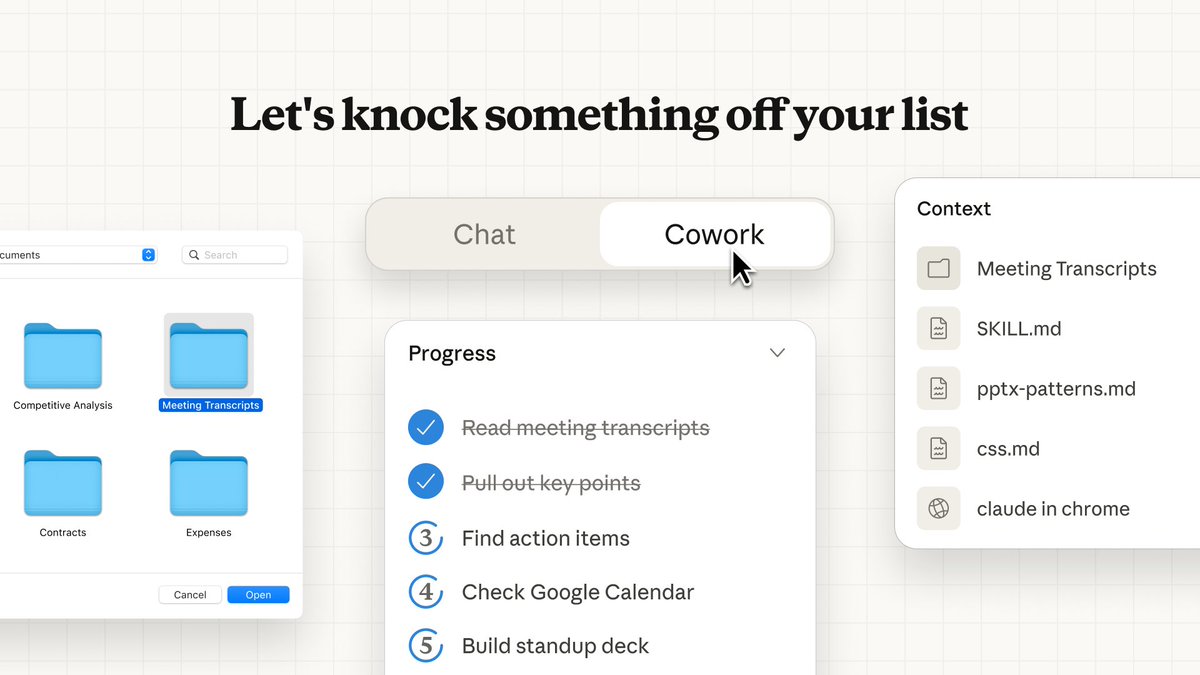
I've been playing with Cowork today, and I have thoughts. # First: what is Cowork? Pitched as "Claude Code" for non-technical tasks or knowledge work. It's basically local Claude Code with a Mac OS app wrapper focused on a few core primitives: • Connectors / MCPs - external services Cowork has access to • Filesystem - runs locally so will create/read things on your file system • TODOs/Steps - discrete trackable steps cowork will take to execute your tasks • Artifacts - files generated in the process of doing your task • Context - files / sources / connectors used when doing your task • Skills - preloaded with a few key skills, esp. file type creation ones like DOCX, PPT, etc. Claude generally has access to these, so not new. Every chat is now a task (focused on doing-a-thing) and steps, artifacts, and context get first class treatment in the UI. # How does it work? You ask Cowork to do a variety of tasks for you and it take a very Claude Code approach to executing your ask. The "starter" tasks in the UI give you a sense of the kinds of things you can do with Cowork: • Create a file • Analyze data • Make a prototype • Prep for the day with Calendar analysis • Write a message for social, email, or my co-workers The UI for starter tasks takes a "mad lib" fill-in-the-prompt approach, but the prompts feel pretty thin and not much better than a basic user would get asking chat directly. Starter tasks in Claude Cowork If you're familiar with Claude Code, you'll notice some familiar patterns. Questions get asked, scripts get written, skills get called. Speaking of skills, Cowork seemingly comes bundled with a few key ones around document creation (you can find them in your file system.) Bundled skills in Claude Cowork # What did I try? I tried a few tasks on Cowork, and I'd say the outputs were OK. ## Task 1: Prep me for my day This was a starter prompt in Cowork so I was convinced this would be a win. I didn't touch the prompt it suggested. Prompting Claude Cowork to analyze my calendar I didn't have the Google Calendar connector set up at the time, but no big deal right? There's a connector button right there! Unfortunately, Cowork couldn't recognize my Google Calendar connector once auth'd (and refreshed, and restarted...) and so it tried to use Claude Chrome plugin to open my browser and view my calendar. No thanks! I banged my head against this problem a few times, but ultimately gave up on this task. Cowork seemed to know it could call tools (called 'list calendar') but for some reason couldn't connect. Womp womp. ## Task 2: Make a competitive research brief This one went a little better. I asked Cowork to make a competitive research brief for @chatprd. It asked some clarifying questions that were high level but I think fairly good: Cowork question widget After clarifying my needs, it made a basic plan to do some web research and use the DOCX skill to make a doc. It took probably 5 minutes to run the whole thing. The research was fine and the doc was fine, my bigger question came from how Cowork exposed the work being done. In my artifacts I expected to see a DOCX, which I did. But I also saw a create-brief.js that showed me the code that created this doc. If i'm a non-technical user, do I want to see this? Do I know what it means? Why expose this as an artifact when all I asked for was a doc? It's listed in a working docs section but honestly should be hidden by default for non-techincal users. ## Task 3: Make a presentation from a doc This task was similar to the competitive brief one. I asked Cowork to create a PPTX from my doc content. I thought the output was nice (anything to avoid being in powerpoint!), but again, the UI suffered from showing me too much how the sausage was made. The process was: • read doc • make individual HTML pages for each slide (this made me stressed/confused.... I didn't want HTML I wanted slides!) • collate the HTML into a PPTX (oh, I get it now) Cowork making HTML for slide content And a small nit, but weird that this is released for OSX but is creating Microsoft-type files and them prompting to open them in Pages. I would have rather just gotten a markdown! # What I liked Look, I like a nice UI and I like Claude Code. I think Cowork exposes some primitives like Steps/Progress and Questions in a way that are much nicer for someone who doesn't want to live in the terminal. "Progress" is a nice way to track long running tasks and keeps my impatience with longer running tasks to a minimum. I'm techincal, so I understand the value of filesystem access as well, so that's a bonus. # What was broken? Honestly, alot. Connectors didn't connect. Terminal commands failed with scary error messages. Local files like DOCX didn't load when I clicked "view file", but did load in the inline tool message. It showed too much context, too many scripts, exposed too much. It asked me to approve opening files WAY to much. It connected MCPs I didn't ask for. tl;dr: research preview was previewing. # Could this task have been a chat? One of the questions I had using Cowork was: is this meaningfully better than just doing a straight chat? Despite it's flaws, Cowork did create better outputs than straight Chat. I think the planning of Claude Code (behind the scenes) plus some better prompting/questioning got me better content outputs than doing this directly in Chat. So I would say that some of the mechanics of Cowork outperform Claude chat. # Who is this for Honestly, not sure yet. I can't imagine a Claude Max user on OSX who knows wtf to do with an agent AND ALSO would prefer a limited desktop app experience vs. loading up the terminal. Understand that it's just in research preview rn, but the overlap between CC + Cowork users right now is probably a circle. The other question was around what they do and don't expose in the UX. Working files are cool if you're a developer, but confusing if you're not technical. I don't want to see HTML before I see presentations, I just want to see the presentation file. It's fun to watch Claude Code bash it's head against a script, less fun to watch a non technical UI do it. The challenge with this sort of "thin wrapper on Claude Code" UX is that it's not quite optimized for the non-technical, and too kneecapped for the TUI-pilled. Cowork right now sits in a fuzzy middle, and the team is going to need to optimize for one or the other to win over a new audience. # Try it and tell me what you think! Would love to hear others' experience with Cowork and whether you think it will a) have you switch from Claude Code for some things or b) is the right experience for non-technical users. Let's give the @claudeai team some feedback so Cowork can live up to its promise!



Topics
Read the stories that matter.The stories and ideas that actually matter.
Save hours a day in 5 minutesTurn hours of scrolling into a five minute read.